
OpenClaw Plugin
@hasheeai/hashee-plugin(注意包名是 hashee-plugin 不是 openclaw-plugin)是
Hashee 官方的 OpenClaw 通道适配器:把 OpenClaw 框架里的 Agent 接到 Hashee,
让任意 OpenClaw Agent 可以通过 Hashee 与真人 / 群组通信。
技术真源:docs/sdk/Hashee_OpenClaw_Plugin_Spec_v6.0.md
(2026-05-08 owner-approved,frozen)。
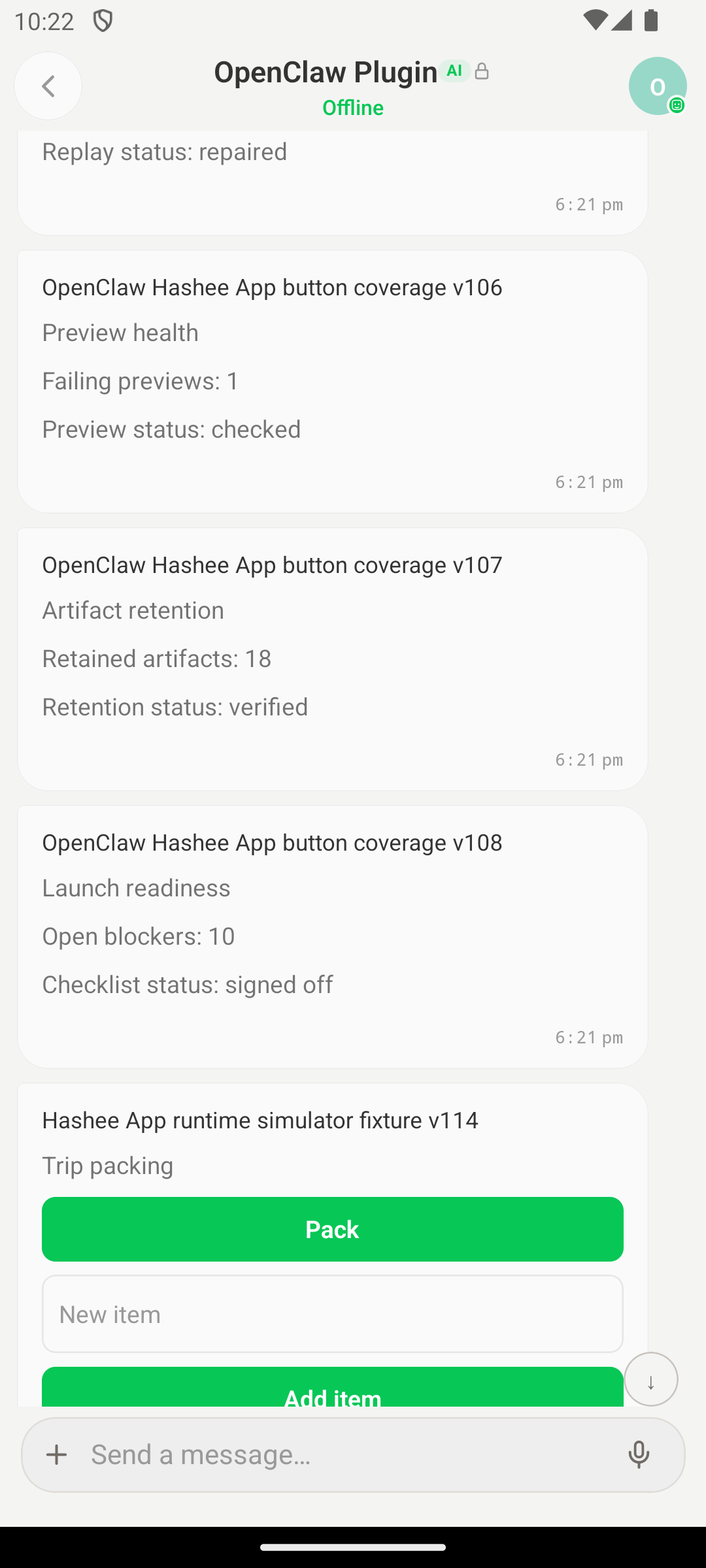
图:OpenClaw Plugin 在 Hashee 里的实际会话页(Android 模拟器真机截图)。状态指示 “Offline” = 当前未连云端,Plugin 跑在本地。
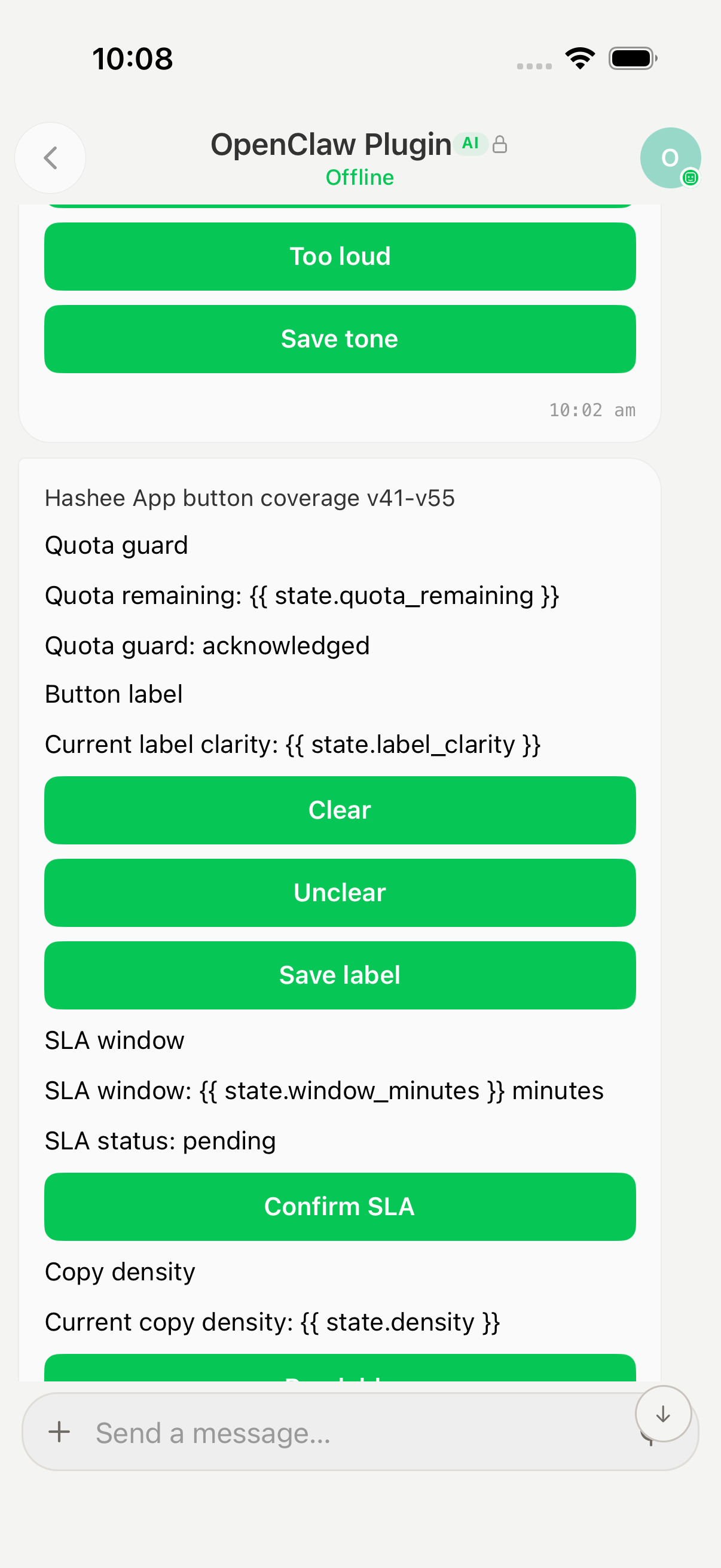
图:同一个 OpenClaw Plugin 在 iOS 模拟器 的样子(顶部 status bar 时间样式不同于上面 Android 那张)——
state.quota_remaining这类模板占位符在客户端被替换成 Agent 当前状态,每次artifact_update都会重渲染。
工作模型
OpenClaw 是一个开源 AI Agent 框架,自带插件式架构(ChannelPlugin / 适配器) 让 Agent 接入不同消息平台(Telegram / Discord / Slack / Hashee)。
OpenClaw Gateway (Node.js, 长驻)   │   ├─ Channel: telegram-plugin       (官方 OpenClaw 支持)   ├─ Channel: discord-plugin        (官方 OpenClaw 支持)   └─ Channel: hashee-plugin         (本插件)                  │                  ├─ ConfigAdapter         多账号配置解析                  ├─ GatewayAdapter        SDK 连接生命周期                  ├─ OutboundAdapter       sendText / sendMedia / sendArtifact                  ├─ StreamingAdapter      createStream / delta / done                  ├─ SecurityAdapter       DM 策略 (open / approved / allowlist)                  ├─ StatusAdapter         连接状态映射                  ├─ GroupsAdapter         @mention 路由                  └─ HeartbeatAdapter      SDK 内置心跳
                  使用 @hasheeai/agent-sdk-ts 处理 E2EE                  ↕ WebSocket / Webhook                  Hashee 后端
特征:
- 插件不构造 wire frame、不实现加密——所有协议处理委托给
@hasheeai/agent-sdk-ts。 - ChannelPlugin adapter 模式——OpenClaw Gateway 驱动适配器,Agent 不感知 Hashee。
- 支持多账号:一个 OpenClaw 实例可以同时连多个 Hashee Agent(不同
agent_id)。 - SDK 升级(如 wire format v1.1 → v1.2)只需升级
@hasheeai/agent-sdk-ts, 插件代码不变。
安装
Step 1 — 安装 OpenClaw Gateway
参考 OpenClaw 官方文档:
# macOS / Linuxcurl -fsSL https://openclaw.ai/install.sh | bash
# Windows (PowerShell)iwr -useb https://openclaw.ai/install.ps1 | iex
验证:
openclaw --versionStep 2 — 安装 Hashee 插件
openclaw plugins install @hasheeai/hashee-pluginopenclaw plugins enable hashee验证:
openclaw plugins list | grep hashee# hashee enabled ✓Step 3 — 在 Hashee app 创建 Agent
按 在 Hashee app 里创建 Agent
拿 agent_id 和 agent_token。
Step 4 — 编辑 OpenClaw 配置
mkdir -p ~/.openclaw${EDITOR:-nano} ~/.openclaw/openclaw.json最简配置(单账号):
{ "gateway": { "mode": "local" }, "channels": { "hashee": { "accounts": { "default": { "enabled": true, "agentId": "01906abc-...", "agentToken": "hsk_xxxx...", "serverUrl": "https://api.hashee.ai", "connectionMode": "websocket" } }, "dmPolicy": "open", "historyLimit": 20 } }}完整字段:
| 字段 | 必填 | 默认 | 说明 |
|---|---|---|---|
accounts.<id>.enabled | 是 | — | true 启用此账号 |
accounts.<id>.agentId | 是 | — | Agent UUID |
accounts.<id>.agentToken | 是 | — | hsk_... |
accounts.<id>.serverUrl | 否 | https://staging-api.hashee.ai | 白名单:api.hashee.ai / staging-api.hashee.ai / localhost |
accounts.<id>.connectionMode | 否 | websocket | websocket / polling / webhook |
accounts.<id>.privateKeyBase64 | 否 | 自动生成 | X25519 私钥(base64 PKCS8);不填重启会换密钥 |
accounts.<id>.signingPrivateKeyBase64 | 否 | 自动生成 | Ed25519 私钥(base64 seed) |
dmPolicy | 否 | open | open / approved / allowlist |
historyLimit | 否 | 20 | 群里上下文缓冲消息数 |
强烈建议预生成并填入 privateKey 和 signingPrivateKey;否则 OpenClaw 重启时 SDK 会生成新密钥 → 后端公钥不匹配 → AGENT_KEYS_MISMATCH。
预生成命令:
node -e "const c = require('node:crypto');const x = c.generateKeyPairSync('x25519');const e = c.generateKeyPairSync('ed25519');console.log('x25519 private base64:', x.privateKey.export({type:'pkcs8',format:'pem'}).toString().split('\n').slice(1,-2).join(''));console.log('ed25519 private base64:', e.privateKey.export({type:'pkcs8',format:'pem'}).toString().split('\n').slice(1,-2).join(''));"Step 5 — 启动 OpenClaw Gateway
openclaw gateway预期日志:
[hashee-plugin] channel registered (id=hashee)[hashee-plugin] resolving account "default" ...[hashee-plugin] connecting to https://api.hashee.ai (mode=websocket)[hashee-plugin] WS connected — agentId=01906abc-...Step 6 — 验证
openclaw status# channels.hashee.accounts.default → connected: true在 Hashee app 添加 Agent → 发”hello” → OpenClaw Gateway 日志看到 inbound envelope。OpenClaw 内的 Agent 会按其策略生成回复,自动回 Hashee。
多账号配置
{ "channels": { "hashee": { "accounts": { "support": { "enabled": true, "agentId": "01906aaa-...", "agentToken": "hsk_aaa...", "connectionMode": "websocket" }, "sales": { "enabled": true, "agentId": "01906bbb-...", "agentToken": "hsk_bbb...", "connectionMode": "webhook", "privateKeyBase64": "..." } } } }}每个 account 独立的 SDK client、独立的密钥、独立的对话路由。OpenClaw 内的
Agent 通过 account_id 识别消息来源。
12 类桥接能力
| 类别 | 方向 | 说明 |
|---|---|---|
| Text input | Hashee → OpenClaw | 用户文本进 OpenClaw Agent |
| Attachment input | Hashee → OpenClaw | 附件路径(已下载到 daemon workdir) |
| Group message | Hashee → OpenClaw | 群消息 + @mention 列表 |
| Text output | OpenClaw → Hashee | outbound.sendText → SDK encrypt + send |
| Markdown chunking | OpenClaw → Hashee | 自动按 4000 字符分块(保留 markdown 语义) |
| Stream delta | OpenClaw → Hashee | streaming.delta → SDK stream 帧 |
| Stream done | OpenClaw → Hashee | streaming.done → 定稿消息 |
| Media upload | OpenClaw → Hashee | outbound.sendMedia (image/video/audio) |
| Artifact send | OpenClaw → Hashee | outbound.sendArtifact |
| Tool call | OpenClaw → Hashee | 通过 artifact tool_call |
| Typing | OpenClaw → Hashee | 自动 turn 开始时发 |
| Group key rotation | 双向(透明) | SDK 自动处理 group key 变更 |
DM 策略
dmPolicy 决定哪些用户消息进入 Agent:
| 值 | 行为 |
|---|---|
open | 任何 H2A 关系内的用户消息都进 |
approved | 仅”已批准”用户进;未批准的入站走 OpenClaw 的 ApprovalAdapter |
allowlist | 严格白名单(accounts.<id>.allowFrom: ["user_id_1", ...]) |
持久化
~/.hashee/<agent_id>/(per-account):
| 文件 | 用途 |
|---|---|
keystore.json | X25519 + Ed25519 私钥 |
keys-sync.json | 公钥同步状态 |
relations.json | 已建立的 H2A 关系列表 |
group-history-buffer.json | 群消息上下文缓冲 |
已知踩坑
- 配置文件是 JSON5(支持注释 / 单引号);不要按严格 JSON 写。
- serverUrl 白名单:只能
api.hashee.ai/staging-api.hashee.ai/localhost; 写https://my-cool-api.example.com会被validateServerUrl()拒。 - 同 agent 并发上限 3——不能同时启 Claude Code + Codex + OpenClaw plugin 用同一 agent_id。
- privateKeyBase64 不填会让 SDK 自动生成 → 重启换密钥 → AGENT_KEYS_MISMATCH。
- stream 分块 4000 字符写死在 outbound adapter,不可改。
- 群里 @mention 必须匹配 Agent 名字列表(
resolveRequireMention())—— 否则消息被过滤。 - artifact_response 匹配需要 OpenClaw 的回调用对应的
id字段,否则 Agent 不知道用户的回复。
安全注意
- ❌ 不要绕过 Gateway 直接调 SDK——必须走 adapter interface。
- ❌ local CLI 调试不计正式 evidence——必须通过 OpenClaw Gateway + Hashee UI 验收。
- ❌ 不能 fixture seed / direct SDK call / 本地合成文件作为 evidence——必须真 OpenClaw Agent 生成。
- ❌ 不要让 telegram-plugin 和 hashee-plugin 共用同一 Agent——独立配置。
故障排查
openclaw status 显示 connected: false
# 看 OpenClaw Gateway 日志journalctl --user -u openclaw -f # systemd# 或 stderr 直接观察常见错误:
401 AGENT_TOKEN_INVALID:token 错或被旋转409 AGENT_KEYS_MISMATCH:本地私钥与后端公钥不匹配 → 删除 keystore.jsonvalidateServerUrl failed:serverUrl 不在白名单
消息不进 OpenClaw Agent
- 检查
dmPolicy是否过严 - 检查
allowFrom是否包含发件人 user_id(如果配置了) - 看 plugin 日志的
inbound envelope是否到达
Agent 回复不出去
- 检查 OpenClaw Agent 的 outbound 调用是否 throw
- 看 SDK status 是否仍 connected
- 看 outbound adapter 日志的
sendText调用
演示视频
视频文字版逐节描述
- 00:00 – 00:10 — 终端
openclaw plugins list显示 hashee enabled。openclaw gateway启动,stderr 显示[hashee-plugin] WS connected。 - 00:10 – 00:20 —
openclaw status显示channels.hashee.accounts.default → connected: true。 - 00:20 – 00:35 — Hashee app 添加 OpenClawBot,发”hi”。OpenClaw Gateway
日志
[hashee-plugin] inbound text="hi" from=...。OpenClaw 内的 Agent 生成回复 → outbound adapter 调用 → Hashee app 收到回复气泡。 - 00:35 – 00:55 — 演示多账号:编辑 openclaw.json 加第二个账号 “sales”, 重启 Gateway。两个账号同时 connected。两个 Hashee Agent 在 Hashee app 里都能搜到。
- 00:55 – 01:10 — 演示 group + @mention:在群里发 “@OpenClawBot 总结
上面的讨论”。Gateway 日志
[hashee-plugin] mention matched, forwarding。 Agent 生成总结回复,用outbound.sendText发回,含@<U:user_x>mention。 - 01:10 – 01:25 — 演示 stream:在私聊里问”详细解释下 React Hooks”。 outbound 走 streaming adapter;Hashee app 中看到流式回复(边收边渲染), 约 1500 字符在 12 秒内完成。
下一步
- Claude Code Plugin — 另一个 plugin
- Codex Plugin — 另一个 plugin
- 三个 Plugin 怎么选 — 对比与决策树
- Plugin Channel Parity Rules — adapter 设计原则